So You’re the Family IT Person. Here’s What Actually Matters.
In every family, there’s one person who gets the calls.
“My laptop is doing something weird.”
“I think I got a virus.”
Maybe that’s you. Maybe you’re the one making those calls and are not sure what to ask.
On a recent episode of The Creative Stack, we stepped away from enterprise IT and talked about something more personal, which is what technology actually looks like at home—the risks people overlook, the simple habits that make a real difference, and why the same principles we apply to business security matter just as much in your living room.
No jargon. No judgment. Just what we’d tell our own families.
The Three Categories of Tech in Your Home
Before you can secure anything, it helps to understand what you actually have. Most households fall into three categories:
Computers and phones
The obvious ones: laptops, desktops, tablets, iPhones, Android devices. These tend to accumulate quickly. A family of five can easily have 10–15 devices between current hardware, older machines, and hand-me-downs.
IoT devices
“IoT” (Internet of Things) sounds complicated, but it simply refers to internet-connected devices that aren’t traditional computers. Think smart TVs, streaming devices, doorbell cameras, speakers, thermostats, garage doors, and even modern appliances.
Most homes have far more of these than expected—often 30–40 connected devices. Each one runs software. Each one can become outdated. And each one sits on your network as a potential entry point.
Accounts and identity
This is the most important—and least visible—category. Email, banking, social media, streaming, healthcare portals, school systems.
Most household tech issues don’t start with devices, they start with accounts. Too many logins, reused passwords, and no clear system for managing access across family members.
The Risks That Are Getting Worse
The “not if, but when” mindset we talk about in business security applies at home, too. In some ways, it’s more urgent.
Older family members are disproportionately targeted by scams, and those scams are becoming more convincing. Fake IRS calls. “Microsoft support” offering to fix a problem that doesn’t exist. Messages claiming your Social Security number has been suspended.
Billions are lost to these attacks every year, and the tactics are becoming more sophisticated.
The most concerning trend is AI-generated voice cloning. If someone’s voice exists online, it can be replicated. Scammers can now impersonate a family member convincingly enough to create panic and urgency.
The best defense isn’t technical. It’s procedural.
Create a simple family protocol. Choose a shared word or phrase known only within your household. If something feels off, ask for it. A real emergency can survive a quick verification. A scam can’t.
For any unexpected call, text, or email that creates urgency, follow a simple rule: slow down.
Legitimate organizations don’t demand immediate action under threat of arrest or account closure. If you’re being pressured to act instantly, that pressure is the warning sign.
Hang up. Look up the official contact information. Call back on your own terms.
Three Things to Do This Week
Not a full security overhaul, just the highest-impact steps you can take right now:
1. Turn on multi-factor authentication (MFA) for your email
Your email is the master key to everything else. If it’s compromised, attackers can reset passwords across your accounts. MFA—typically a code sent to your phone—blocks most unauthorized access. It takes minutes to enable on Gmail, Outlook, or Apple Mail.
2. Use a password manager
The goal is simple: one strong, unique password per account. Reusing passwords is how one breach becomes many.
Tools like 1Password, Dashlane, Bitwarden, or Apple’s Keychain all work well. Install it on your phone so it’s always available. The specific tool matters less than using one consistently.
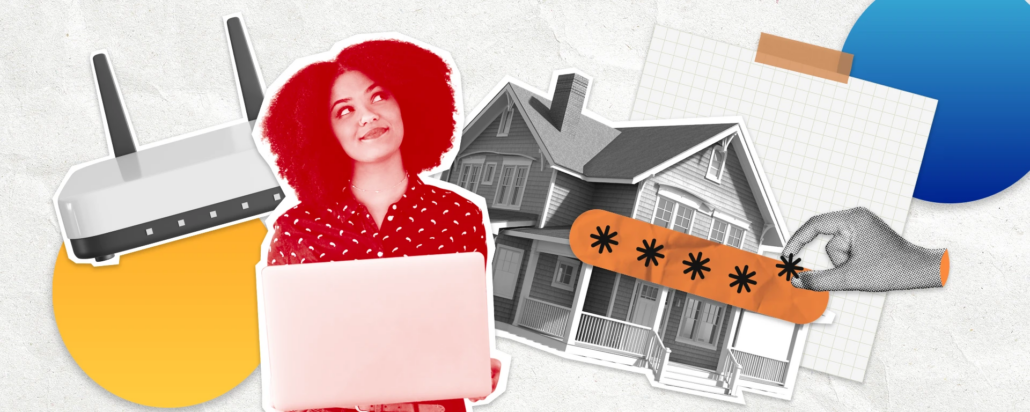
3. Change your router’s default password
Most home routers still use default credentials that are publicly known or easy to find. That’s a problem, because your router sits in front of everything on your network.
Change the admin password. While you’re there, review the list of connected devices. You may find things you forgot about or don’t recognize.
The IoT Problem Nobody Thinks About
Smart home devices are still computers—just smaller ones. Two habits matter most:
Don’t keep default credentials
Many IoT devices ship with known usernames and passwords. Attackers actively scan for devices that haven’t been changed. Set unique credentials and store them in your password manager.
Keep them updated
Firmware updates exist for a reason: vulnerabilities get discovered and fixed. Enable automatic updates where possible, and check manually if needed.
One useful exercise: take inventory of every device on your network. TVs, cameras, speakers, consoles, appliances. Most people are surprised by how many they have, and you can’t secure what you don’t know exists.
A Note on Generational Differences
Technology use varies widely across generations, and none of those differences is inherently wrong.
Older family members didn’t grow up with personal computing. The underlying mental models often aren’t there, and that’s not something you fix with a single explanation. What helps is hands-on setup, clear instructions, and reducing friction. Setting up MFA for someone is far more effective than explaining it abstractly.
Younger users face a different challenge. Comfort with technology doesn’t always mean understanding it. Many people use devices fluently without thinking about security, troubleshooting, or the implications of sharing information online.
The role of the “family IT person” isn’t to fix everything. It’s to put systems in place—password managers, MFA, simple verification protocols—that reduce the chances of problems in the first place.
Most of the time, that means one thoughtful setup and occasional check-ins—not constant intervention.
If You Didn’t Pay for It
Free email, social media, and many AI tools rely on user data in some form. That doesn’t mean you shouldn’t use them, but it does mean you should be thoughtful about what you share.
Be especially cautious with AI tools. They’re incredibly useful for everyday questions and troubleshooting, but avoid entering sensitive personal or financial information into free services. Paid versions typically offer better data protection—and the cost is modest.
For family email and cloud storage, a low-cost Microsoft 365 or Google plan provides stronger privacy controls, backup, and support—often for less than the price of a streaming subscription. It’s one of the simplest investments you can make in your household’s security.
This conversation is just the start. There’s more to cover, in including location sharing, managing kids’ devices, family ecosystems, and what to do when something actually goes wrong.
But if you do just two things—enable MFA on your email and start using a password manager—you’ve already taken a meaningful step toward a more secure home.
The Creative Stack is produced by Valiant Technology, a managed IT services provider based in New York specializing in serving creative agencies and PR firms. Listen to episodes at podcast.thevaliantway.com and learn more at thevaliantway.com.